Turn any photo into a bead pattern
Perler Bead Pattern Maker
Upload a photo and generate a bead pattern and grid in one click. Use AI templates for inspiration, with palette matching, color counts, and HD export for simple, cute mini designs and first‑time makers.

3‑minute pattern flow
Upload, match colors, preview, export—then start beading.
Upload to start
Upload a photo or start with a blank canvas, use AI templates for inspiration, then turn it into an editable grid.
Import a pattern
Import a bead pattern, align the grid, and auto-detect color IDs.
Match your palette
Choose brand palettes; color IDs and counts are clear at a glance.
See the grid clearly
Toggle grid/coords/IDs/legend to check details before printing.
Export & print
Export PNG patterns, print view, and CSV lists for quick prep.
Core highlights · Bead Workbench
Powerful but simple—tune until it looks right.
Pixel‑level edits for clean patterns
EditBrush/eraser/rectangle/picker plus color replace to polish details fast.
Grid & positioning made easy
DisplayGrid/coords/IDs/legend + crosshair, with zoom/pan/fullscreen/mirror for precision.
AI‑assisted generation, less noise
ParamsCartoon/Real renders, dithering, merge threshold, color limit, and remove background for cleaner results.
Pattern inspiration
From bead designs to printable patterns, get inspired by the community.

琪琪与黑猫吉吉

血小板的凝血因子

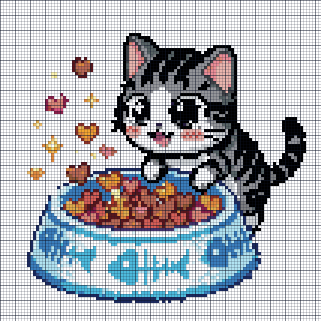
小起的猫粮时间

阿尼亚的微笑
🧭 Help Center (FAQ)
Clear your questions and start creating fast.
🧵 Which bead brands/palettes do you actually support?
Perler, Artkal, Hama Midi, MARD, Nabbi, IKEA Pyssla, etc. See the workbench list; switch brand/palette in the editor.
🧾 What exactly is in the export?
PNG pattern (grid/coords/IDs/legend follow toggles) + CSV with color codes and counts; print preview is also available.
✨ The result looks blurry or the subject disappears—how do I fix it?
Use a clearer, higher‑contrast image; lower max colors, then combine Dithering + Color Merge.
⚠️ Why not upload very large images?
Huge pixel sizes explode bead count, overcomplicate the pattern, add noise, and raise time/cost.
📐 What image size is recommended?
Keep width or height around 100–300px for a good balance of clarity and buildability.
🖼️ Does aspect ratio matter?
No strict requirement, but crop to the subject and keep it close to your final aspect ratio to reduce background clutter.
🔍 What size works for 5mm vs 2.6mm beads?
5mm: ~100–200px. 2.6mm: ~200–300px. Smaller beads capture more detail.
🎯 Too many colors and it looks noisy?
Lower Max colors and raise Color merge threshold in Params.
🎨 Colors don’t match my actual beads?
Switch Brand/Official palette in Params; check color IDs and legend before export.
🧼 Background too messy?
Click “Remove background”; undo and try again if needed.
🧭 No grid/coords/IDs when I print?
Enable Grid/Coordinates/Color IDs before export or print.
🖨️ How do I print a build‑ready sheet?
Click “Print pattern” to open print view; toggle grid/coords/IDs as needed.
💬 Voices of creators
Real feedback from the i拼豆 community.
As a DIY blogger, this palette matching is the best I’ve seen. The CSV list is a lifesaver and saves huge manual counting time.
 @DreamWeave · Perler Bead pro
Making Perler Beads with kids is so fun. The printed grids align perfectly, and the color suggestions are spot‑on. The results are stunning!
 @BeadMom · Family crafter
Color replace + pixel refine save me so much time. I can polish tiny details, and the export list makes sorting beads effortless.
 @PixelAq · Detail-first maker
Canvas settings and grid styles print super clearly. I use it for workshop templates and it saves hours of prep.
 @BeadStudio · Workshop instructor
💡 Your suggestions matter a lot
Ready for your first bead pattern?
Start free and generate your first printable pattern today.